
So..I had to start this thing with the thought of other friendster users new to the whole custom CSS thing on their profiles. I could always link you to other tutorials like the Friendster-Tweakers tutorial, but I don't really feel like linking you to other websites aside from Blade You Stain. And the Friendster Tweakers tutorial is actually out of date, featuring the old friendster. (the red one)
This is a much newer version, the BLADE YOU STAIN version..kay, babe? :)
Okay. So here we go.
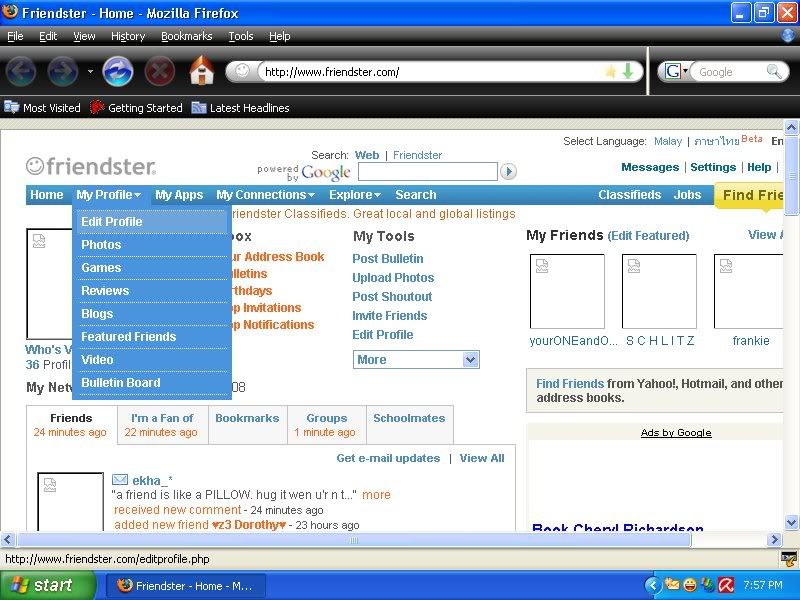
1. From home, select "Edit Profile" as seen on drop down box. It is highlighted, so it isn't hard for you to see it on the screenshot even without a mouse pointer.
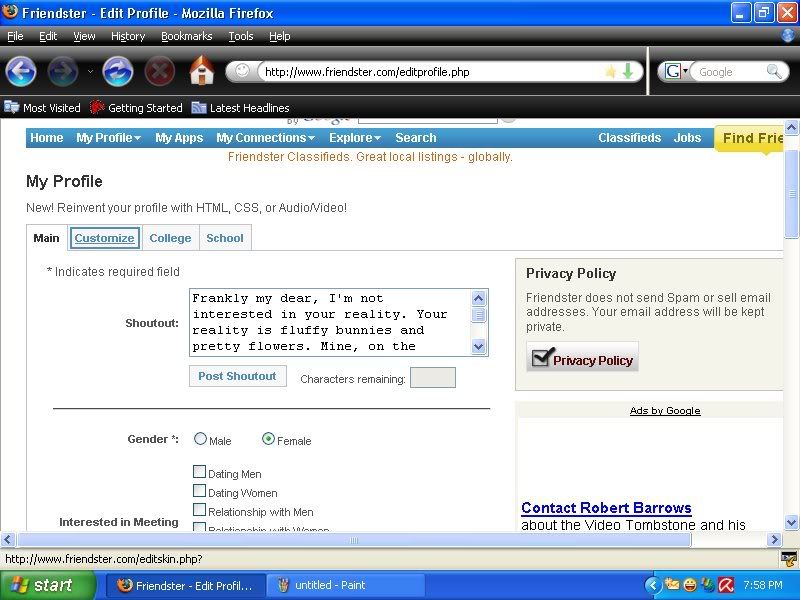
2. From Edit Profile, select "Customize" on the tabs at the top. It isn't also hard to see here, because it's boxed.
3. Once in the "Customize" tab, scroll down until you reach the two empty boxes. Paste the codes into the first box, which is the CSS Code Box. Remember to paste the CSS Codes, not the Media Box codes.
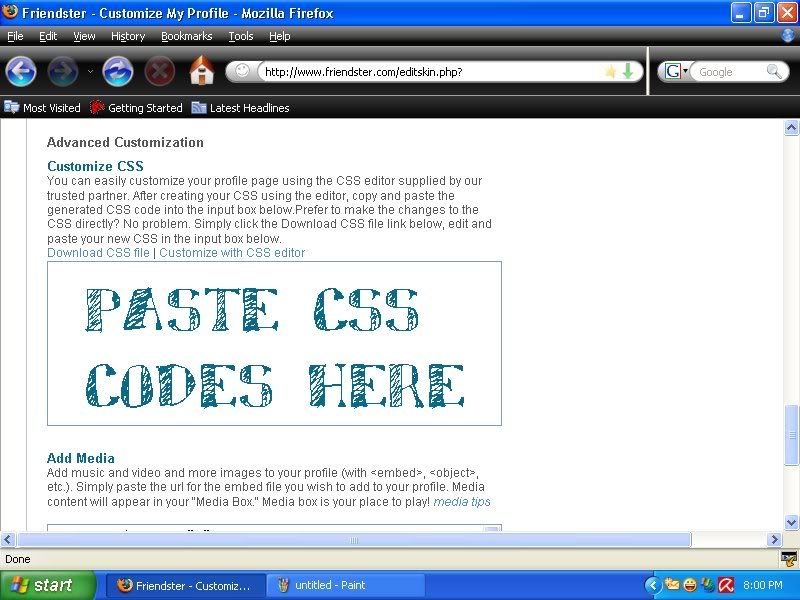
4. Paste the Media Box codes in the second box. Remember that the CSS Codes are the long codes that have these /* text */ in them. The Media Box codes are HTML codes, and are the shorter ones.

Okay. Have fun using the layouts! :)

No comments:
Post a Comment